
NatureScan

State of GIS 2026 — Island to Insight

Using AI to Speed Up Geospatial Data Labelling

Segment Anything Model & Drone Imagery for Biodiversity Assessment

James Gregory Research Associate, Drone Data Platforms · TerraLuma, University of Tasmania
2026
State of GIS
NatureScan
James Gregory
James Gregory
Research Associate · TerraLuma, UTas

Hello,
I'm James.

  • Research Associate in Drone Data Platforms with the TerraLuma Group, University of Tasmania.
  • Recently completed my Masters in Environmental Geospatial Science
  • Previously worked as a software engineer of web applications & data visualisation.
NatureScan

The NatureScan Project

  • Innovation grant project
  • Consumer-grade drones for remote sensing of biodiversity
  • Aligned with the emerging biodiversity repair market
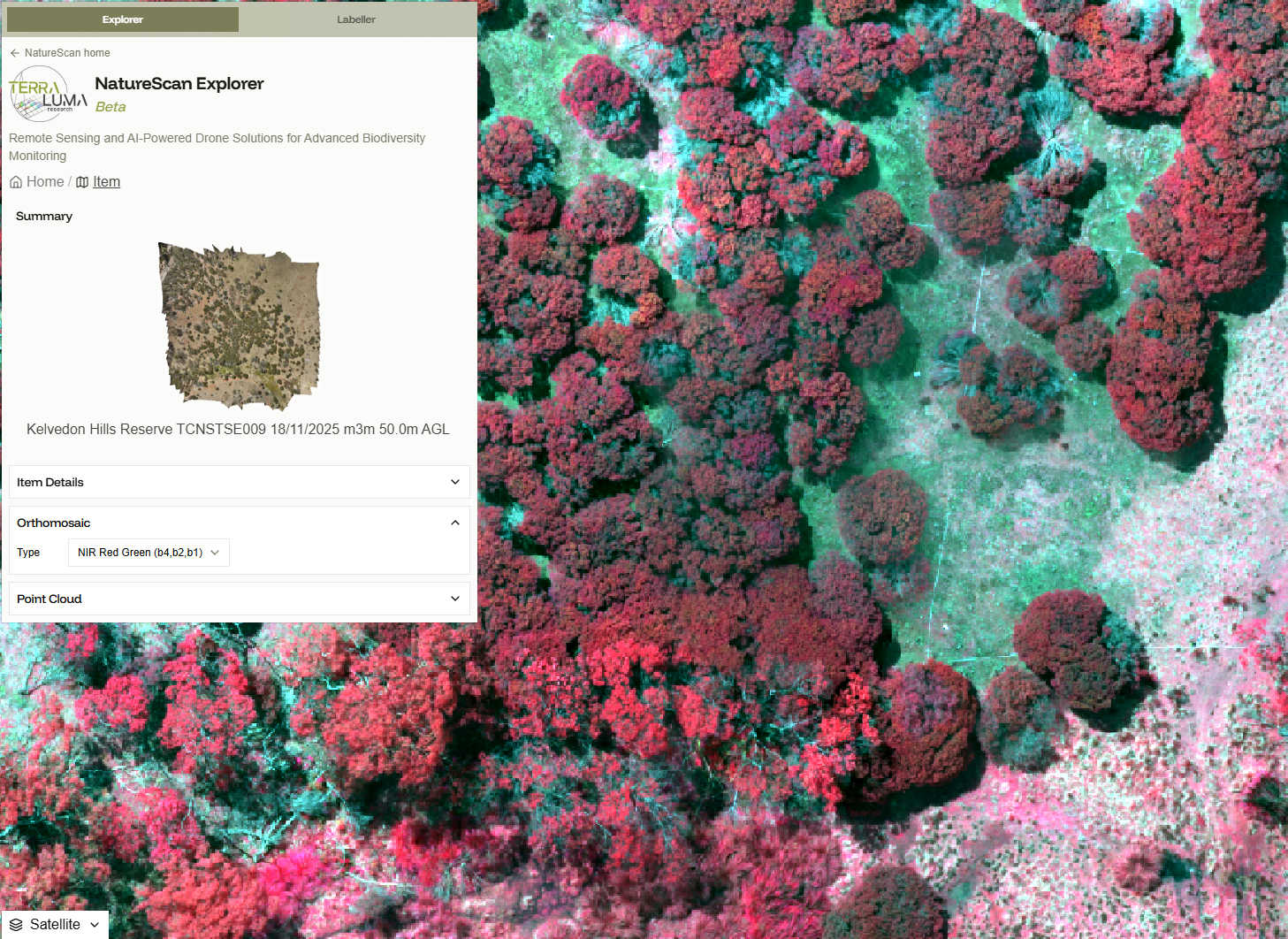
  • Drone surveys completed across multiple sites around Australia, representing a range of different ecosystems
  • One goal: an AI model that takes drone imagery and predicts Essential Biodiversity Variables (EBVs)

University of Tasmania TerraLuma DCCEEW TERN University of Adelaide
NatureScan

We need labelled training data

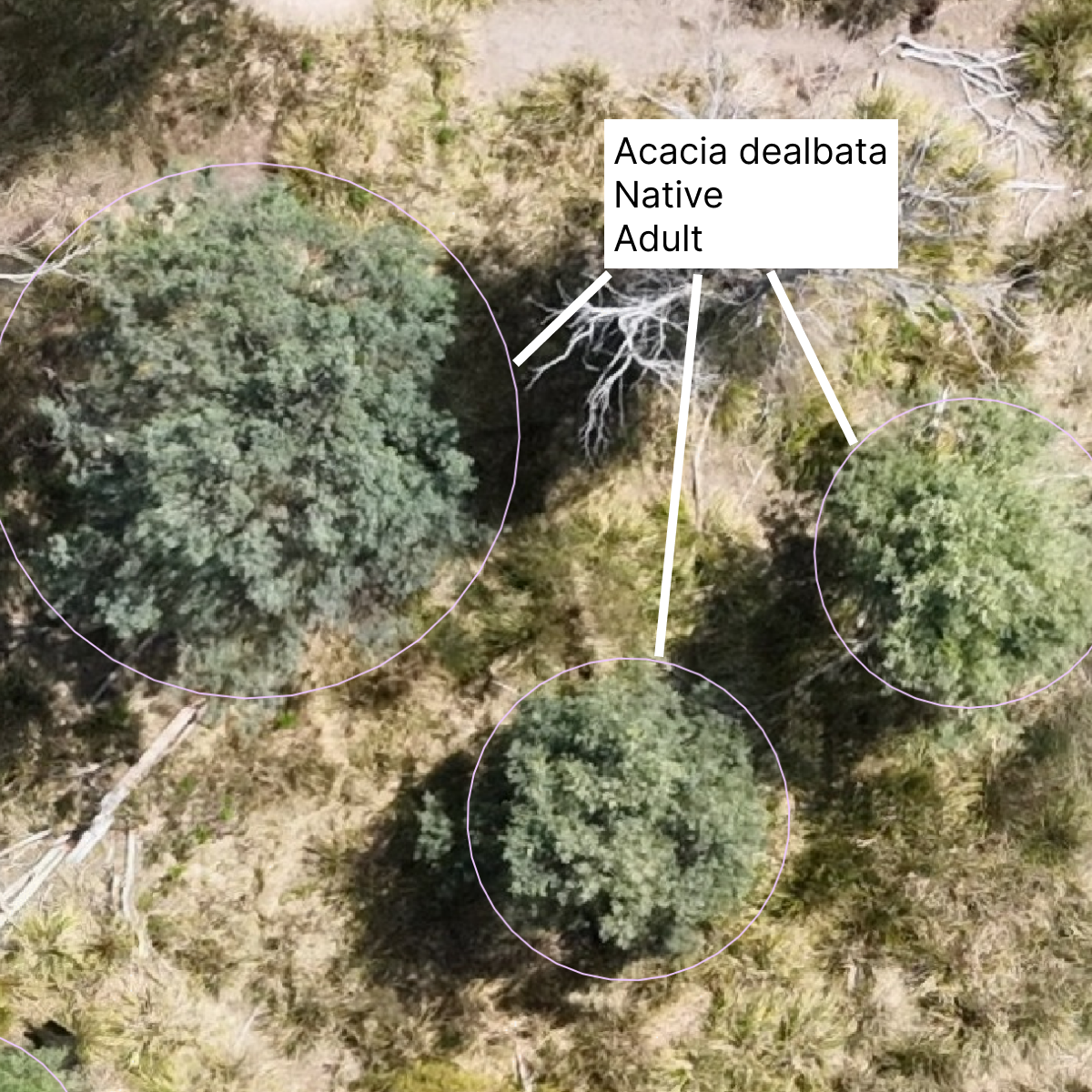
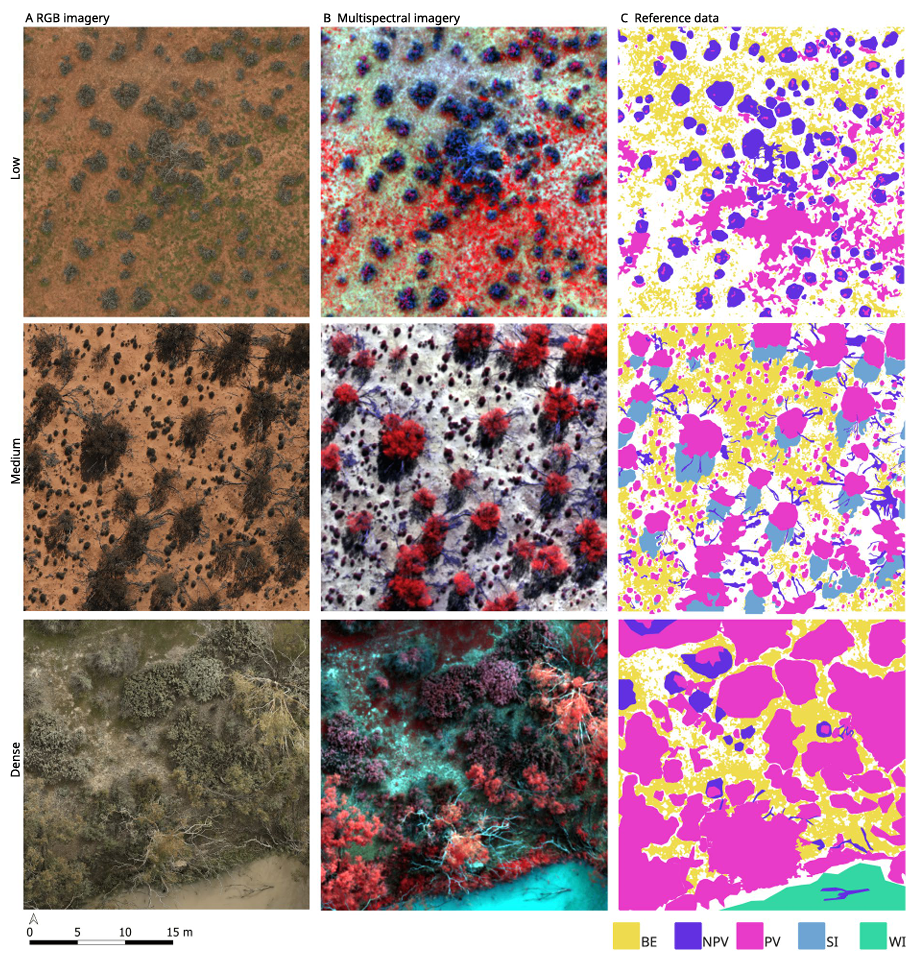
To train or validate biodiversity models, we need datasets where individual life forms are both outlined and classified.
NatureScan
1

Classifying

Requires specialist knowledge
Relatively fast for an expert
Labelling example
2

Segmenting

Often doesn't require specialist knowledge
Very slow to do manually
Segmentation example
NatureScan

Segment
Anything
Model

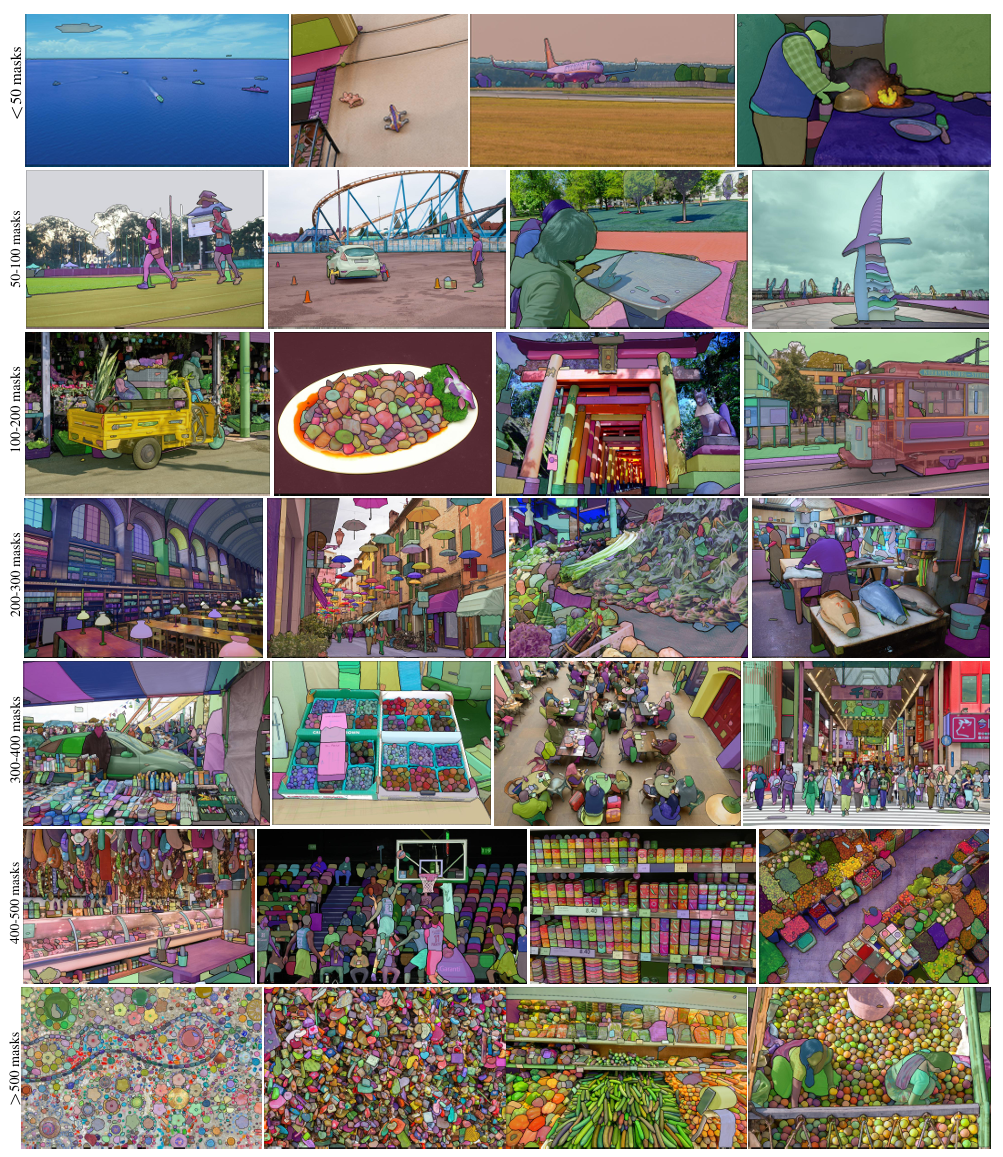
A family of foundational vision models from Meta. Trained on massive datasets. Built to segment anything — not a specific object class.

Fast
Designed for real-time use. Produces segmentation masks in milliseconds*, enabling interactive workflows.
* Image embedding is much slower.
Generalisable
Strong zero-shot performance. Works well on image types and domains never seen in training (e.g. Drone imagery from Tasmania).
Promptable
Accepts spatial prompts (points, boxes) to guide segmentation.
NatureScan

The SAM Family

1
SAM 1 The Original · 2023

Introduced Promptable Visual Segmentation (PVS). Point, box, or multi-point prompts → mask.

2
SAM 2 + Video · 2024

Extends SAM to video, tracks and segments objects across frames. Also improves PVS performance.

3
SAM 3 + Concepts / Text · 2025

Adds text-aligned concept understanding. Can respond to semantic descriptions. SAM3 still does and improves PVS (yes but no).
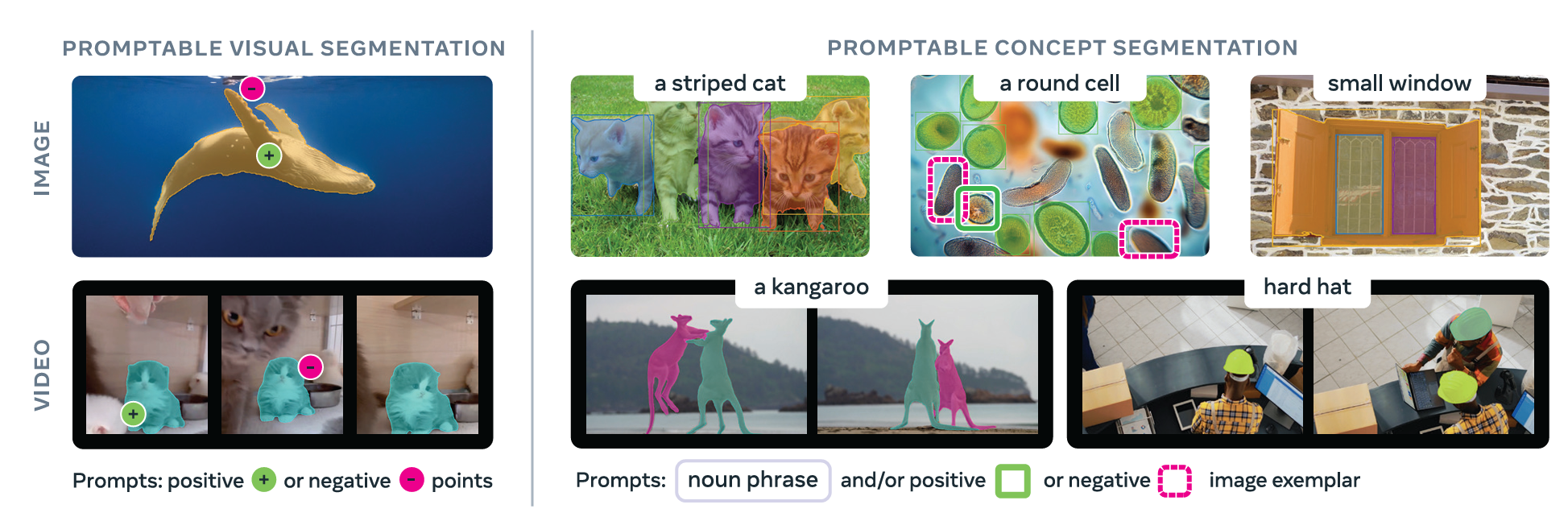
The SAM family Carion et al., 2025
NatureScan
Nuance 01 / 03

Image Size

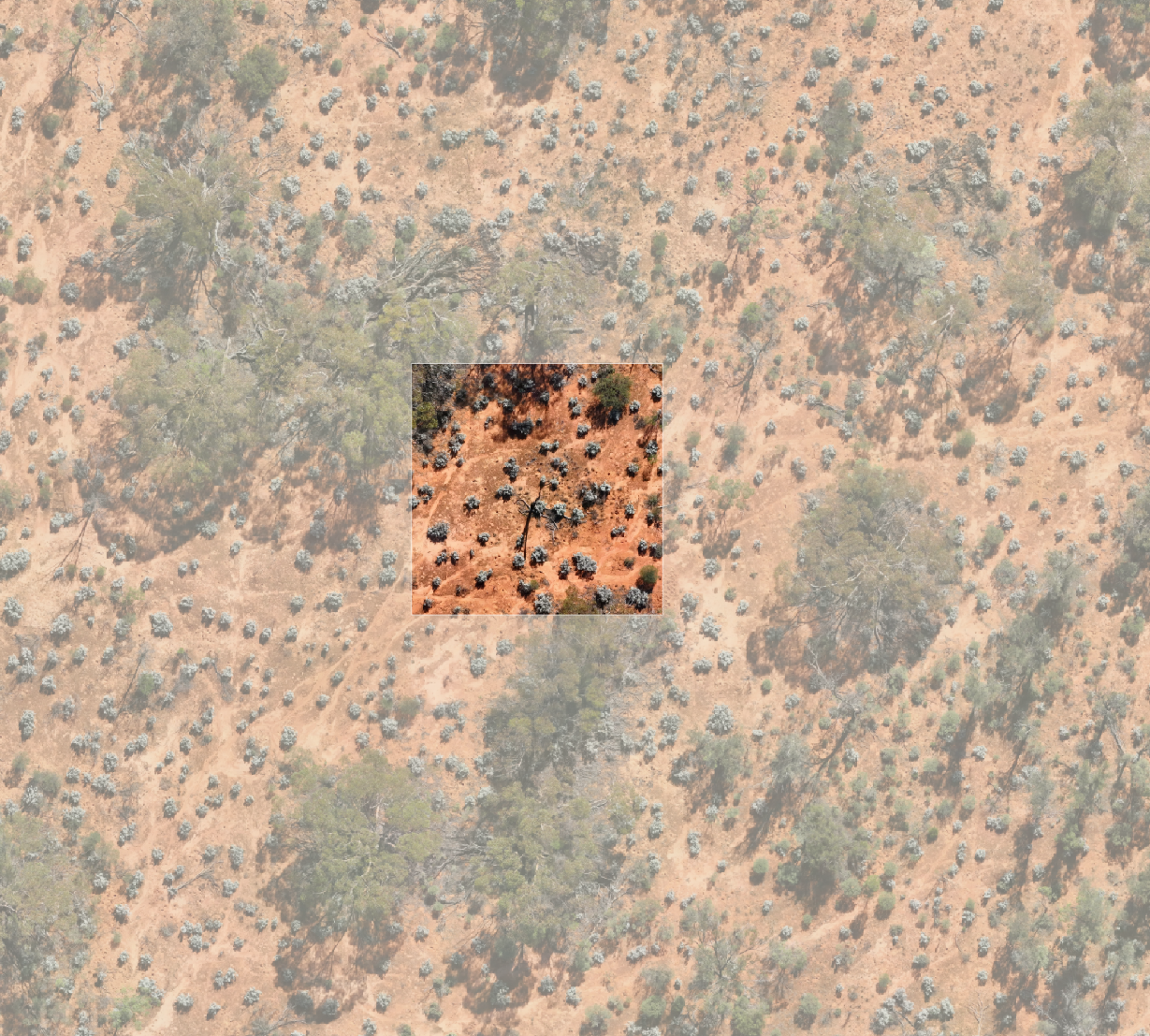
  • SAM is optimised for images around 1,000 × 1,000 pixels — it internally rescales to this range
  • Fine for standard photos (500–4,000px), rescaling has little impact
  • Problem: An orthomosaic is typically 15,000 × 15,000px or larger. Rescaling down destroys a lot of detail.
  • Solution: Tile or clip into overlapping sub-images. Process each tile, then re-assemble in georeferenced space
Orthomosaic tiling diagram
NatureScan
Nuance 02 / 03

Coordinate Systems

  • SAM works entirely in pixel coordinates. All inputs (prompts) and outputs (masks) are in pixel space
  • Our data is in a geographic CRS (e.g. GDA2020).
  • On a webmap, our data is also projected into Web Mercator.
  • Image pixels are flipped on the Y axis relative to geographic coordinates.
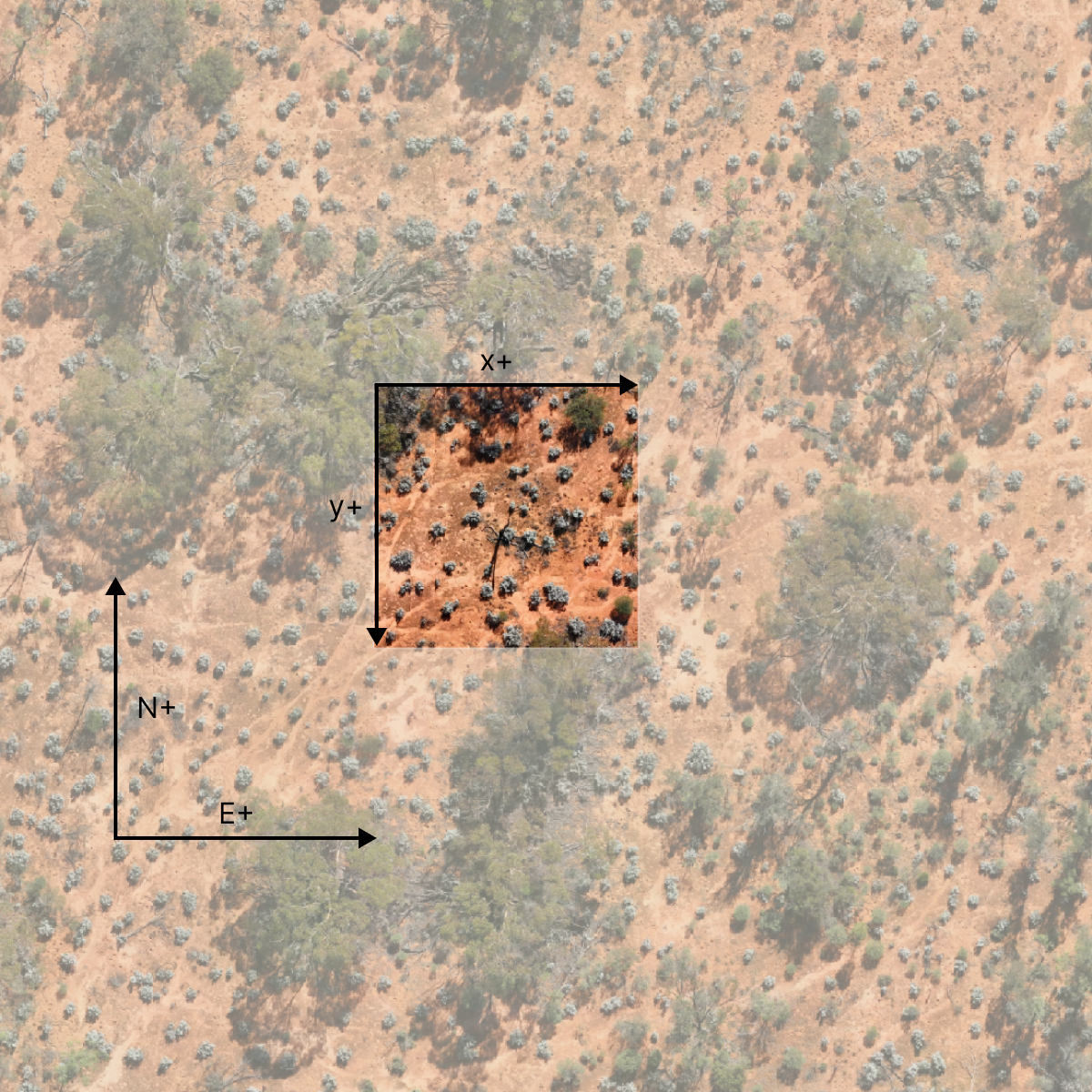
CRS translation pipeline
NatureScan
Nuance 03 / 03

Multispectral Data

  • SAM accepts only 3-channel, 8-bit input (like a JPEG or PNG)
  • Our MS camera captures Green, Red, Red-Edge and Near-Infrared (NIR) bands as 32-bit floats.
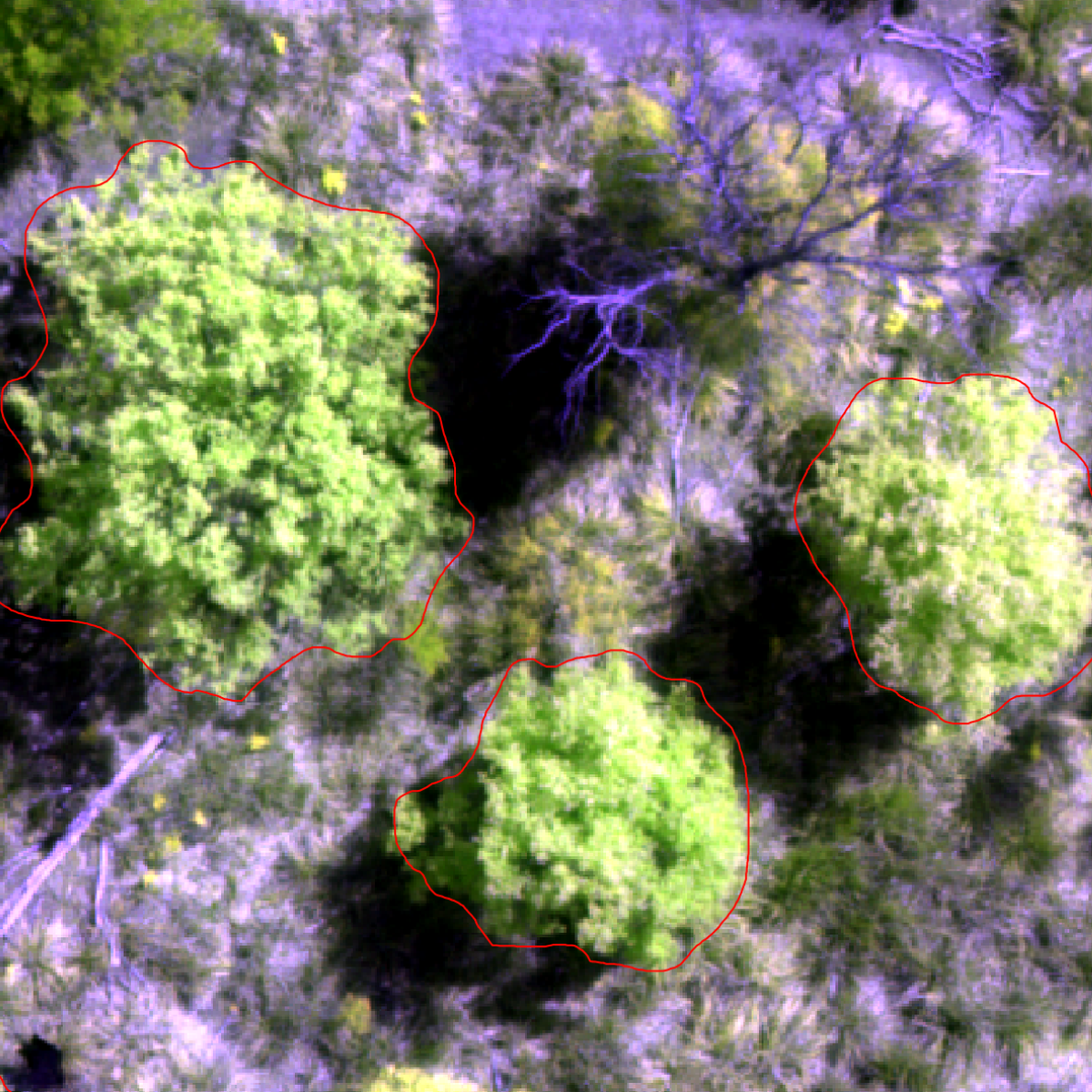
  • Workaround: false colour composites. Render and scale a 3-band combination into 8-bit RGB.
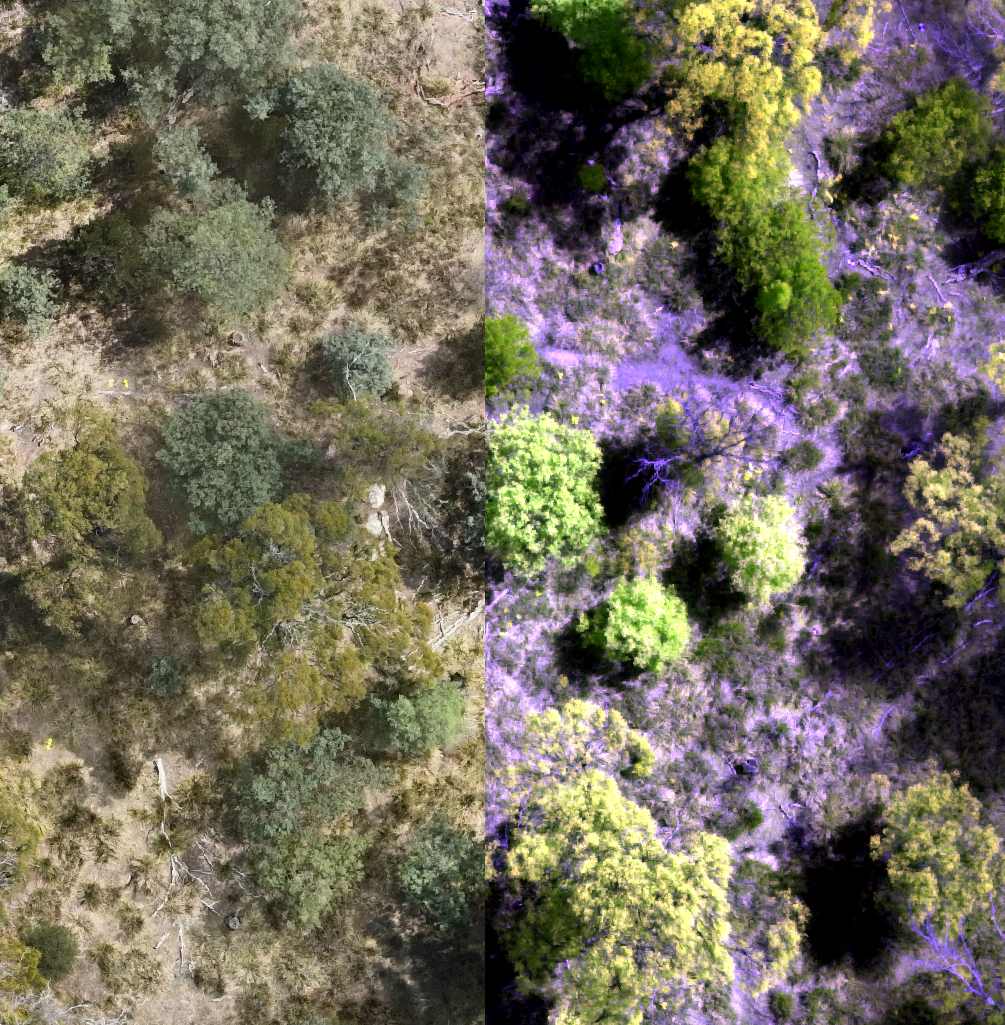
RGB to multispectral composite
NatureScan

How well does it work?

Tested on our orthomosaic data using manually segmented trees as ground truth.

78%
Mean Intersection over Union (mIoU)
96%
Mean Precision

SAM tends to under-segment, capturing the core of a plant. Conversely, I tended to oversegment in my manual process.
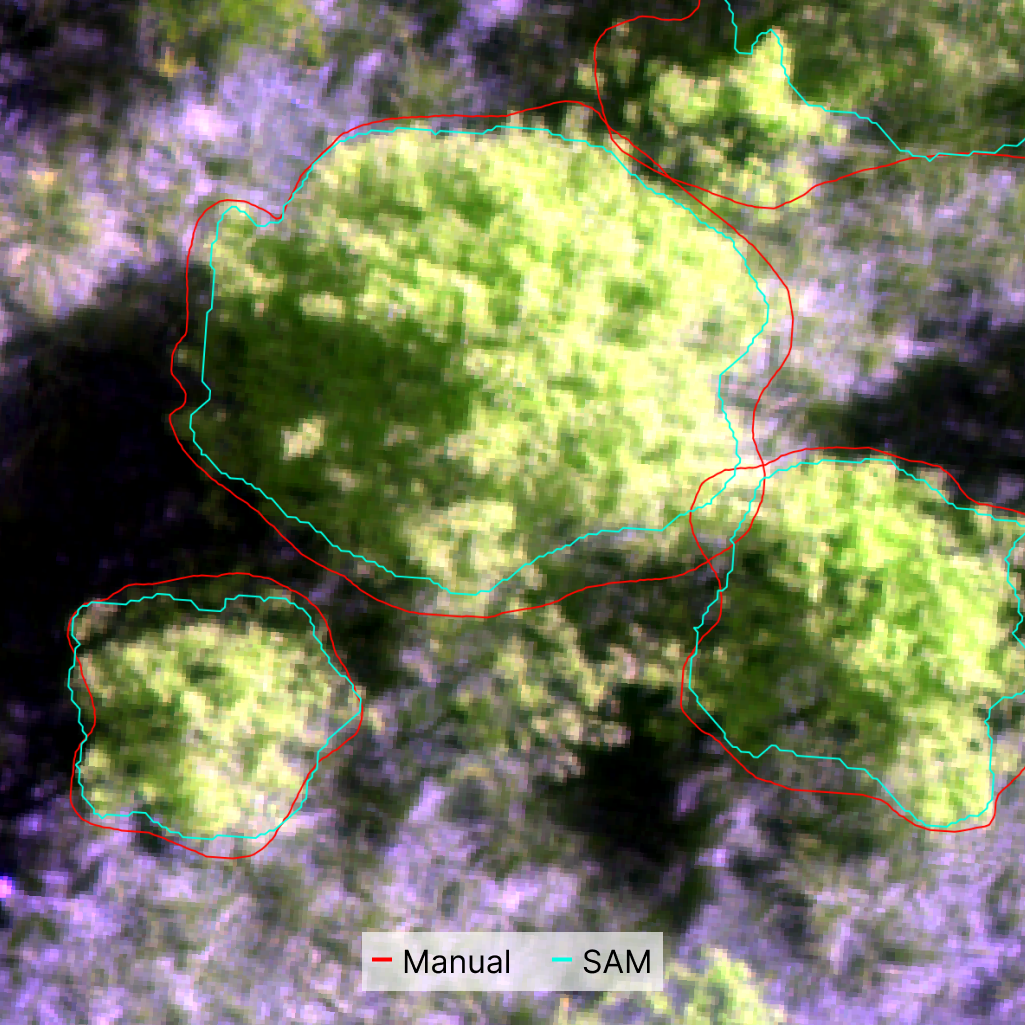
Good enough to dramatically reduce manual work. Still requires human review.
Key finding: Negligible performance difference between SAM2 and SAM3 — but SAM2 is half the size of SAM3.
Key finding: Multispectral false colour composites outperform standard RGB across all models.
SAM prediction vs ground truth
NatureScan

Live Demo — Built on Open Source

Data Format
Cloud Optimised GeoTIFF
COG — raster format designed for efficient HTTP range requests. Tile and sub-image access without downloading the whole file.
Learn more
Data Catalogue
STAC
SpatioTemporal Asset Catalog — open spec for indexing geospatial assets. Enables discovery and machine-readable metadata across datasets.
Learn more
Tile Server
TiTiler
FastAPI-based dynamic tile server. Creates tiles and sub-images on the fly from COG files. No pre-processing required.
Learn more
Rendering
Deck.gl + MapLibre
WebGL-powered rendering for large datasets. MapLibre as the basemap layer, Deck.gl for overlaying drone imagery and segment polygons.
NatureScan
Use SAM Yourself
No code required
QGIS — GeoAI Plugin
A QGIS plugin that integrates SAM directly into the desktop GIS environment. Click on features in your raster layer and get instant segmentation masks.
opengeoai.org
LabelMe
Open-source data labelling platform with SAM integration. Supports annotation workflows, review, and export to ML-ready formats.
labelme.io
Building with SAM
For developers
Meta — Official Weights & Code
All SAM model weights and the reference PyTorch implementation, available directly from Meta.
ai.meta.com
Hugging Face & Ultralytics
Friendly Python wrappers that abstract the boilerplate — good for getting something running quickly before diving deeper.
Muggled SAM ⭐
Unpacks SAM's internals — strips away abstractions so you can understand the architecture from the ground up.
github.com/heyoeyo/muggled_sam
NatureScan

Next Steps

  • Building tools to review and edit outputs
  • Researching ways to seed segmentation (e.g. automatically generating prompts)
  • Building our training dataset
  • Researching similar vision models (e.g. Dino) as backbone for our own models
NatureScan

Thank
you.

James Gregory · Research Associate, TerraLuma
University of Tasmania
james.gregory@utas.edu.au
QR Code Slides QR